

Google Pics Launches AI Image Creation and Editing for Workspace Users
Table of Contents
Google has begun rolling out Google Pics, a new AI-powered image creation and editing tool that lets users create and refine visual content through text prompts.
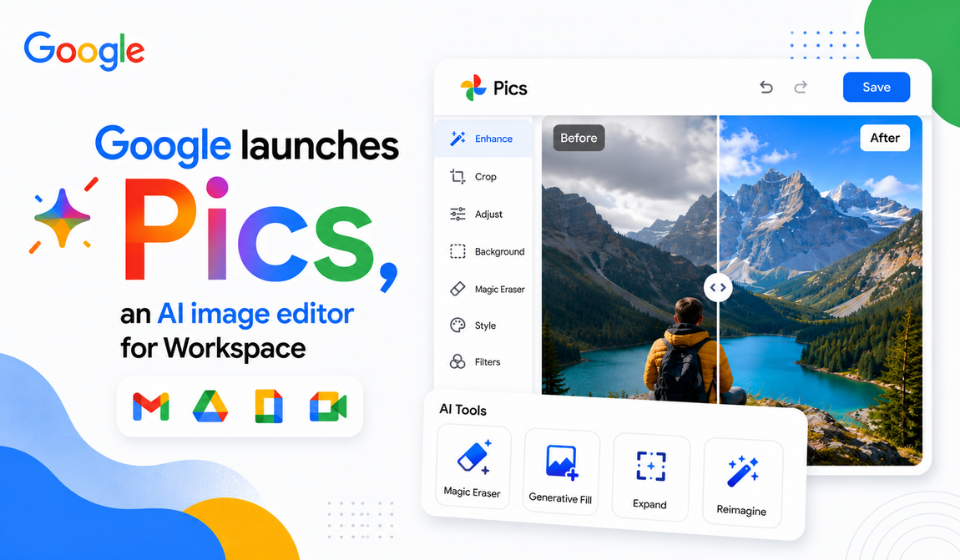
Built on Google’s Nano Banana image generation and editing technology, Google Pics can generate images from scratch, edit individual objects, modify text within images and make targeted changes to existing visuals. The tool is rolling out to Google AI Pro and Ultra subscribers and most Google Workspace business customers.
Google first introduced Pics at Google I/O 2026 as an AI-powered tool for creative and professional workflows. The latest rollout expands access beyond its initial testing phase.
Google Pics Brings AI Image Creation to Workspace
Google Pics allows users to describe the visual they want and generate an image using a text prompt. It can be used for social media graphics, event materials, illustrations and other everyday creative tasks.
Users can also work with existing images and make changes using AI. Instead of recreating an entire image after every adjustment, Pics allows users to target specific parts of a visual.
This approach could make basic image creation and editing more convenient for people already working within Google’s productivity ecosystem.
Precise Editing With Google Pics
One of the key features of Google Pics is object segmentation. Users can select an individual object in an image and describe how they want it changed.
The tool can also edit or translate text appearing inside images. This could be useful for marketing materials, posters and graphics intended for different audiences or languages.
Google Pics supports cropping for different formats and allows images to be downloaded at up to 2K or 4K resolution.
| Features | What It Offers |
| AI image creation | Generate visuals from text prompts |
| Object editing | Select and modify specific objects |
| Text editing | Change text within images |
| Translation | Translate text appearing in images |
| Multiple generations | Create different versions |
| Cropping | Prepare images for different formats |
| 2K and 4K output | Download images at higher resolutions |
| Collaboration | Share and work on designs with others |
Google Pics Integrates With Docs and Slides
Google is also connecting Pics with its Workspace applications.
The rollout includes integration with Google Docs and Google Slides, allowing users to edit images without moving between multiple applications. Google says Drive integration will follow in the coming weeks.
For example, someone preparing a presentation can use Pics to modify an image and continue working within the same Workspace workflow.
Google Pics is also available as a standalone web experience through pics.new.
Google Pics Targets Business Design Tasks
Google is positioning Pics for a variety of creative and business uses.
Potential applications include:
- Creating social media graphics
- Designing event materials
- Developing marketing visuals
- Preparing presentation images
- Creating product concepts
- Editing illustrations
- Translating text in graphics
- Producing variations of existing images
The collaboration features could also help teams review and refine visual content together.
For organizations that frequently need simple graphics, these capabilities could reduce the number of separate tools required for basic image creation and editing.
Google Pics Enters a Competitive Market
The launch puts Google Pics into competition with established creative platforms such as Canva and Adobe Express.
Technology coverage has described Pics as Google’s answer to Canva because of its focus on prompt-based design and AI-assisted editing.
However, it is too early to say that Google Pics will replace established design software. Professional designers may continue to rely on specialized applications for complex layouts, detailed branding and advanced creative work.
Pics could instead compete for simpler image creation and editing tasks, particularly among users who already rely on Google Workspace.
Who Can Use Google Pics?
Google says Google Pics is rolling out over the coming weeks to Google AI Pro and Ultra subscribers and most Workspace business customers.
| User Types | Availability |
| Google AI Pro | Rolling out |
| Google AI Ultra | Rolling out |
| Workspace Business Standard | Rolling out |
| Workspace Business Plus | Rolling out |
| Enterprise Standard | Rolling out |
| Enterprise Plus | Rolling out |
| Google AI Pro for Education | Rolling out |
Because access is being phased in, eligible users may receive the feature at different times.
Why Google Is Expanding AI Image Tools
The launch is part of Google’s wider effort to bring generative AI into everyday productivity and creative workflows.
Google already provides AI features across Workspace applications such as Docs and Slides. Adding image creation and editing gives users another way to use generative AI without leaving Google’s ecosystem.
The use of Nano Banana also connects Pics with Google’s broader development of AI-powered image generation and editing.
For Google, integrating these capabilities into Workspace could make its AI services more useful to businesses, creators and other users who regularly produce visual content.
Frequently Asked Questions
What is Google Pics?
Google Pics is an AI-powered image creation and editing tool from Google. It can generate images from text prompts and make targeted changes to existing visuals.
What AI technology powers Google Pics?
Google Pics is built on Google’s Nano Banana image generation and editing technology.
Can Google Pics edit existing images?
Yes. Users can select objects, modify specific areas and edit or translate text within images.
Does Google Pics work with Google Docs and Slides?
Yes. Google has integrated Pics with Docs and Slides, while Drive integration is expected in the coming weeks.
Can Google Pics create images from scratch?
Yes. Users can describe an image using a text prompt and generate different versions.
Does Google Pics support 4K output?
Yes. Users can download images at up to 2K or 4K resolution.
Conclusion
The rollout of Google Pics expands Google’s AI capabilities into image creation and editing, giving eligible users a way to generate and refine visual content through natural-language prompts.
Object editing, text modification and translation, cropping, collaboration and 2K or 4K output make Pics more than a basic text-to-image generator. Its integration with Docs and Slides also connects image editing with everyday Workspace workflows.
Google Pics now enters a competitive market alongside Canva and Adobe Express. Its long-term success will depend on the quality of its generated images, editing capabilities and usefulness for real-world creative tasks.
For users already working within Google’s ecosystem, Pics could become a convenient option for handling everyday image creation and editing without switching between multiple applications.