


Table of Contents
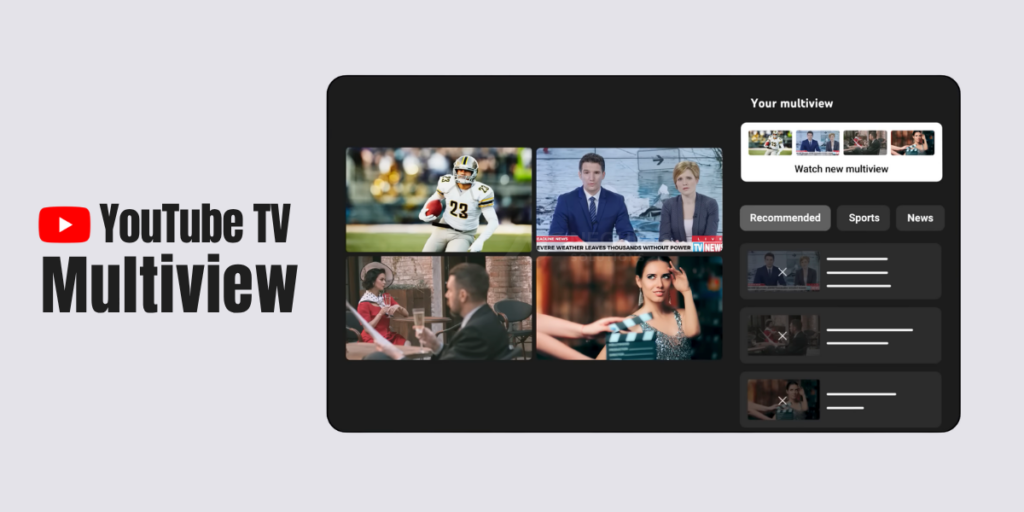
YouTube TV Custom Multiview is transforming how users consume live content by introducing a more flexible and immersive streaming experience. With this latest update from YouTube TV, users can now watch multiple channels simultaneously on a single screen, making it easier to follow sports, news, and live events without constantly switching between streams.
The YouTube TV Custom Multiview feature enables viewers to build their own multi-screen layout, supporting up to four live streams at once. This innovation responds to strong user demand for more control over viewing preferences and enhances the overall usability of the platform.
Key Features of YouTube TV Custom Multiview
- Watch up to four live channels on one screen
- Customize viewing layouts based on preferences
- Seamless switching between streams with real-time audio control
- Available across smart TVs, mobile devices, and streaming platforms
- Designed especially for sports fans and live event viewers
Why YouTube TV Custom Multiview Matters
This feature significantly improves user engagement by reducing the need to toggle between channels. It mirrors the real-world experience of watching multiple screens in sports bars or control rooms, now brought directly into homes.
Additionally, it highlights YouTube TV’s focus on innovation in live streaming, giving users more flexibility and personalization in how they consume content.
Comparison: Traditional Viewing vs Multiview
| Feature | Traditional Streaming | YouTube TV Custom Multiview |
| Number of Streams | One at a time | Up to four simultaneously |
| User Control | Limited | High |
| Viewing Experience | Linear | Multi-screen |
| Best Use Case | General viewing | Sports & live events |
| Device Support | Broad | Broad (excluding some platforms) |
Limitations to Consider
While the YouTube TV Custom Multiview feature offers many benefits, there are some limitations:
- Works only with live content
- Not available on web browsers
- Some older devices may not support full functionality
Final Thoughts
The YouTube TV Custom Multiview update marks a major step forward in streaming innovation. By enabling multi-channel viewing and personalized layouts, it enhances convenience and user satisfaction. As streaming platforms continue to evolve, features like this could redefine how audiences engage with live content in the future.