


Table of Contents
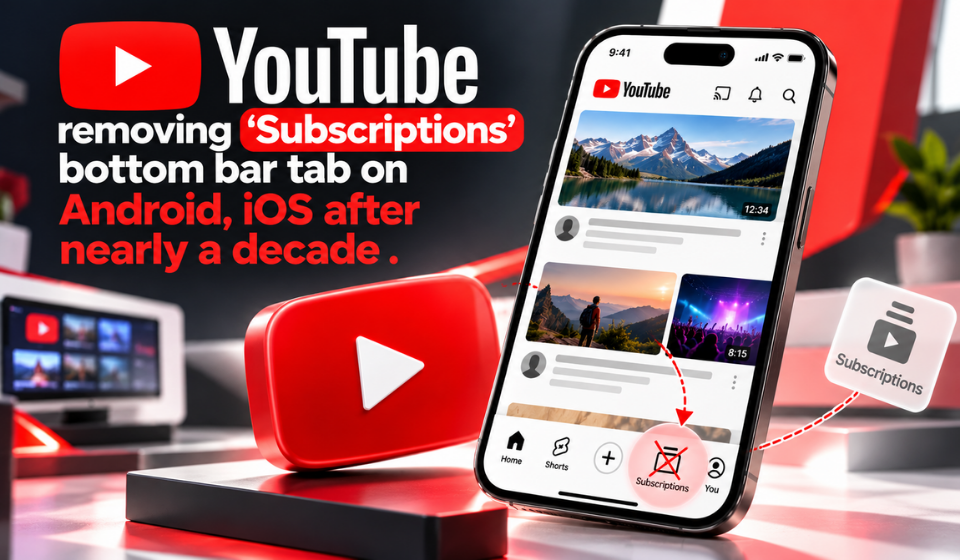
YouTube is changing its mobile app navigation by moving the Subscriptions tab from the bottom bar to the top of the Home screen. The redesign arrives on Android and iOS alongside custom feeds, which let viewers create topic-focused collections. For longtime users, the shift may take adjustment: Subscriptions has occupied the bottom bar since 2017.
The update aims to make discovery more personal overall and reduce the need to navigate separate menus. Here is what is changing and what viewers should know.
Subscriptions Gets a New Place in YouTube
The Subscriptions tab is leaving its traditional fourth position along the bottom of the app. It now appears near the top of Home, directly after Home. A red underline marks the active section.
The change may disrupt habits for viewers who automatically tap the bottom bar to find uploads from favorite channels. The phrase Youtube removes Subscription describes the central change, but the feature is not being eliminated: YouTube is relocating it rather than removing access to subscribed channels.
The redesign also adds topic-based feeds. After Home and Subscriptions, eligible users may see shortcuts for Live, Music, and Movies & TV. The Movies & TV section may be available depending on the channels or viewing services connected to a viewer’s account.
Custom Feeds Make Discovery More Personal
Custom feeds let viewers describe the videos they want to explore and create a dedicated feed around that request.
Users tap the plus sign at the top of Home and enter a description. For example, someone might request short guided meditations for unwinding after work. YouTube builds a feed around that topic, which can be revisited from the top of the main screen. A prompt field within each custom feed lets users adjust the idea later.
The feature aims to make discovery more intentional. Instead of repeatedly searching for similar videos, people can keep a collection focused on a subject, mood, or set of creators.
Possible uses include:
- Finding tutorials for a new hobby.
- Exploring music suited to a specific mood.
- Collecting short workouts or meditation videos.
- Following a topic without mixing it into every recommendation.
Youtube removes Subscription is part of a wider navigation change, not an isolated adjustment. The new layout gives custom feeds a visible place alongside core sections.
What Changes for Viewers?
The new interface combines familiar destinations with additional browsing options.
| Feature | Previous experience | Updated experience |
| Subscriptions | Bottom navigation bar | Top of Home, after Home |
| Topic browsing | Recommendations and search | Dedicated Live, Music, and eligible Movies & TV feeds |
| Custom feeds | Not available in this format | Feeds created from written prompts |
| Navigation drawer | Used for some destinations | Removed as part of the redesign |
| Saved custom feeds | Not applicable | Up to 3 for free users; up to 8 for Premium members |
For viewers who mainly watch uploads from subscribed channels, the change is mostly about where to tap. People who enjoy exploring different interests may find custom feeds more significant.
The shift could take time to feel natural for users who have relied on the same bottom navigation for years. Still, keeping Subscriptions near the beginning of Home means it remains easy to find once viewers adjust.
Availability and Key Details
YouTube says custom feeds are initially rolling out in English to signed-in viewers in the United States, on mobile and desktop. Broader availability is planned. The redesigned navigation is also being introduced on Android and iOS, though timing can vary by account as features arrive in stages.
Key details:
- Subscriptions is moved, not deleted.
- The tab sits after Home in the top row.
- Live and Music are among the new dedicated categories.
- Movies & TV availability may vary by account.
- Free accounts can save up to three active custom feeds.
- Premium members can save up to eight.
If the new layout has not appeared yet, it may not have reached the account. Check again later rather than assuming the feature is permanently unavailable.
FAQs
Is YouTube removing the Subscriptions feature?
No. Youtube removes Subscription refers to the tab’s move from the bottom bar. Viewers can still access Subscriptions at the top of Home.
Where is the Subscriptions tab now?
It appears in the top row of Home, immediately after Home, with a red underline when selected.
What are YouTube custom feeds?
They are personalized video feeds created from a written description of a topic, content type, or viewing mood.
How many custom feeds can I save?
Free users can save up to three active feeds. YouTube Premium members can save up to eight.
Is the redesign available worldwide?
Custom feeds initially serve signed-in English-language users in the United States, with expansion planned.
Conclusion
YouTube’s redesigned mobile navigation changes navigation by moving Subscriptions from the bottom bar to the top of Home. Although Youtube removes Subscription may sound as if the feature is disappearing, access to subscribed channels remains available in its new location. The larger addition is custom feeds, which help viewers organize discovery around their interests. As the rollout expands, the redesign’s success will depend on whether people find the layout easier to use and personalized feeds useful.