


Table of Contents
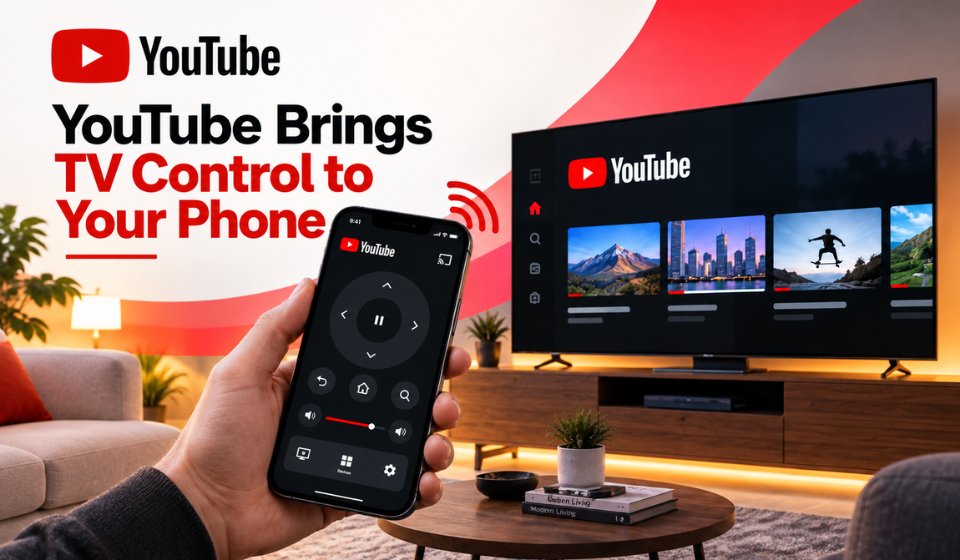
YouTube is making its Connected TV experience more convenient by turning smartphones into companion devices while viewers watch videos on their TVs.
The update allows users to interact with YouTube content from their phones without interrupting the video playing on the television. Viewers can like videos, leave comments, subscribe to channels, read descriptions and browse other content while the TV continues playing.
The change addresses one of the common difficulties of using YouTube on a television: navigating features that are easier to access on a touchscreen than with a traditional TV remote.
How YouTube’s Phone Companion Feature Works
With the new experience, a phone can automatically become a companion while YouTube is playing on a compatible smart TV or streaming device.
Users need to be signed into YouTube with the same Google Account on both devices. When the YouTube mobile app detects what is playing on the TV, it can display a companion experience that allows viewers to interact with the content.
YouTube says the new companion experience also removes the need for the phone and TV to share the same Wi-Fi network. Instead, the devices can work together through the same account.
| Features | What Users Can Do |
| Likes | Like videos from the phone |
| Comments | Read and post comments |
| Subscriptions | Subscribe to channels |
| Video information | Read descriptions and creator links |
| Browsing | Search for videos and browse Shorts |
| Queue | Add videos to the TV queue |
| Device playback | Send videos from the phone to the TV |
Browse YouTube Without Interrupting TV Playback
One of the biggest advantages of the update is multitasking.
While a video continues playing on the TV, viewers can use the YouTube app on their phones to search for another video, browse Shorts or look through other content. They can also add videos to the TV queue without interrupting the current playback.
This means the TV can remain focused on the content everyone is watching while the phone handles searching and navigation.
For example, someone watching a travel video with friends can search for another destination on their phone without taking over the television interface. Once they find something they want to watch, they can send it to the TV.
Send Videos Directly From the Phone
YouTube is also making it easier to move videos from the mobile app to the television.
The company says users can select the three-dot menu next to a video and choose “Play on different device.” This allows a video discovered in the mobile feed to be sent directly to the TV.
The feature can be useful when viewers discover content on their phones but want to watch it on a larger screen.
The updated experience therefore gives each device a different role: the television handles the main viewing experience, while the phone provides a more convenient interface for searching and interacting.
Comments and Subscriptions Are Easier on a Phone
Typing with a TV remote can be inconvenient, especially when users want to leave longer comments or search for specific videos.
The companion experience allows viewers to use their phone’s touchscreen and keyboard for these interactions. Users can comment, like videos, subscribe to channels and read descriptions without stopping the video playing on the TV.
This could make YouTube’s Connected TV experience more practical for viewers who regularly engage with creators rather than simply watching videos.
The Update Does Not Eliminate Traditional Casting
The new companion experience should not be confused with the complete removal of YouTube’s traditional casting options.
YouTube continues to document casting as a separate feature. Users can still cast YouTube videos from phones, tablets or computers to supported TVs and streaming devices. YouTube also provides a TV-code option for linking devices when they are not connected to the same Wi-Fi network.
The key change is that the new companion experience allows the phone and TV to work together through the same Google Account without requiring them to share a Wi-Fi network.
This distinction is important because the update changes how the phone can interact with the TV, rather than simply replacing every existing connection method.
YouTube Expands Its Connected TV Experience
The phone companion update is part of YouTube’s broader effort to improve its television experience.
The platform has increasingly focused on making YouTube more useful on smart TVs and streaming devices, where viewers may spend longer periods watching content.
The latest update extends that approach by bringing some of the interaction available on mobile devices directly into the TV viewing experience.
Rather than forcing viewers to choose between watching on the TV and browsing on their phone, YouTube is allowing both devices to work together.
What the Update Means for Viewers
For viewers, the biggest benefit is convenience.
The television remains the main screen, while the phone becomes a secondary interface for activities that are often difficult with a remote. Users can search, browse, comment, subscribe and manage what they want to watch next without interrupting the current video.
The same-account requirement also makes the setup relatively straightforward for people watching YouTube on their own TV or streaming device.
However, availability and some features can depend on the device, account type and YouTube setup. YouTube notes that some functionality may not be available with supervised accounts.
FAQs
What is YouTube’s phone companion feature?
It allows viewers to use their phone alongside YouTube on a TV to control playback and interact with content while continuing to watch on the television.
Do my phone and TV need to be on the same Wi-Fi network?
Not for the new companion experience. YouTube says the devices can work together when they are signed into the same Google Account.
What can I do from my phone?
You can like videos, comment, subscribe to channels, read descriptions, browse videos and Shorts, add content to the TV queue and send videos to the TV.
Can I browse YouTube while a video plays on my TV?
Yes. You can search for other videos, browse Shorts and manage the TV queue without interrupting the video currently playing on the television.
Does the update replace casting?
No. YouTube continues to support traditional casting and TV-code linking. The companion feature is an additional way to connect the phone and TV for viewing and interaction.
Do both devices need the same Google Account?
Yes. YouTube says the phone and TV must be signed into the same Google Account to use the phone as a companion.
Conclusion
YouTube’s latest Connected TV update gives smartphones a more useful role when viewers watch videos on a television.
Users can use their phones to comment, like videos, subscribe to channels, read descriptions, search for content, browse Shorts and manage their TV queue while the current video continues playing.
The ability to use the companion experience without requiring the phone and TV to share a Wi-Fi network also simplifies the connection process for supported setups. At the same time, traditional casting remains available, so the update should be viewed as an expanded companion experience rather than the complete replacement of existing casting methods.
By allowing the TV and phone to handle different parts of the YouTube experience, the update could make watching and interacting with content on a large screen considerably more convenient.