


Table of Contents
Apple’s iOS 27 update marks a major step forward in making the iPhone more intelligent, adaptive, and user-friendly. Rather than focusing solely on visual changes, Apple has introduced a collection of practical enhancements designed to improve productivity, personalization, and everyday convenience.
With deeper integration of Apple Intelligence, upgraded Siri capabilities, and new customization tools, iOS 27 aims to help users accomplish tasks more efficiently while creating a more personalized mobile experience.
Standout Features in iOS 27
The latest iPhone software introduces several upgrades that impact how users interact with their devices daily.
Major Additions
- Next-generation Siri intelligence
- AI-assisted workflow creation
- Expanded Home Screen customization
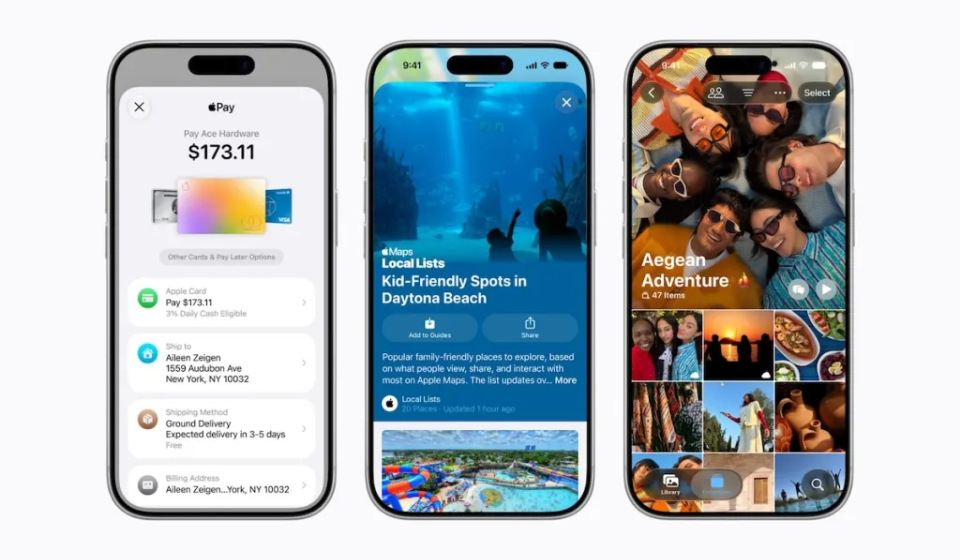
- Improved Photos app capabilities
- Advanced multitasking enhancements
- Refined system design elements
- Better accessibility features
- Enhanced privacy protections
These features collectively create a more responsive and intuitive operating system.
Apple Intelligence Expands Across iPhone
One of the biggest developments in iOS 27 is the broader integration of Apple Intelligence throughout the operating system.
What Apple Intelligence Can Do
- Understand user context more accurately
- Offer proactive suggestions
- Assist with task management
- Improve app interactions
- Simplify complex workflows
Instead of functioning as a standalone feature, Apple Intelligence now works behind the scenes across multiple apps and services.
Key iOS 27 Features at a Glance
| Feature | User Benefit |
| Apple Intelligence | Smarter device interactions |
| Enhanced Siri | Faster and more natural assistance |
| AI Automation | Simplified workflows |
| Photos Upgrades | Better content editing |
| Customization Tools | More personalization options |
| Privacy Features | Increased user control |
Siri Becomes More Conversational
Apple has significantly improved Siri’s ability to understand natural language and maintain context during conversations.
Siri Enhancements
- More human-like responses
- Better follow-up question handling
- Improved app integration
- Faster task execution
- Enhanced voice recognition
These upgrades make Siri more useful for managing daily tasks, scheduling events, and accessing information quickly.
Smarter Automation for Everyday Tasks
The Shortcuts app receives one of its biggest updates yet.
New Automation Features
- Create shortcuts using simple descriptions
- Generate workflows automatically
- Automate repetitive actions
- Connect multiple apps more easily
This allows users to build powerful automations without needing advanced technical knowledge.
More Ways to Personalize Your iPhone
Customization continues to be a priority in iOS 27.
New Personalization Options
- Flexible widget layouts
- Expanded visual customization
- Improved Home Screen controls
- Enhanced interface transparency settings
- More lock screen adjustments
Users now have greater control over how their iPhones look and function.
Hidden Improvements Worth Noticing
While major AI features attract attention, several smaller upgrades can significantly improve the user experience.
Useful Quality-of-Life Enhancements
- Faster app switching
- Improved clipboard management
- Better cross-device continuity
- Refined notification controls
- Enhanced landscape support
These updates help streamline everyday interactions and improve productivity.
iOS 27 Compared to Earlier Versions
| Category | Previous Versions | iOS 27 |
| AI Features | Limited Integration | System-Wide Intelligence |
| Siri | Basic Assistant | Context-Aware Assistant |
| Automation | Manual Setup | AI-Assisted Creation |
| Personalization | Moderate | Advanced Customization |
| Productivity | Standard | Significantly Enhanced |
| User Experience | Familiar | Smarter and More Adaptive |
Why iOS 27 Is Important
The update reflects Apple’s broader strategy of integrating artificial intelligence into everyday computing. Rather than introducing flashy standalone tools, Apple focuses on making common tasks easier and more efficient.
Benefits for Users
- Improved productivity
- Faster task completion
- Smarter recommendations
- Better accessibility
- Enhanced privacy controls
- More personalized experiences
These improvements help users get more value from their devices without dramatically changing how they use them.
Top Reasons to Upgrade
Key Takeaways
- Apple Intelligence now powers more parts of iOS.
- Siri becomes smarter and more conversational.
- AI-assisted automation reduces manual effort.
- New customization options enhance personalization.
- Everyday productivity receives a meaningful boost.
- Privacy and security remain a core focus.
Final Thoughts
iOS 27 is less about dramatic redesigns and more about practical innovation. By combining artificial intelligence, improved automation, enhanced customization, and thoughtful quality-of-life improvements, Apple has created an update that feels both modern and useful.
For iPhone users, iOS 27 offers a smarter and more personalized experience that simplifies daily tasks while laying the foundation for Apple’s future AI-driven ecosystem.