


Table of Contents
Instagram is giving users a new way to showcase content from other creators directly on their profiles.
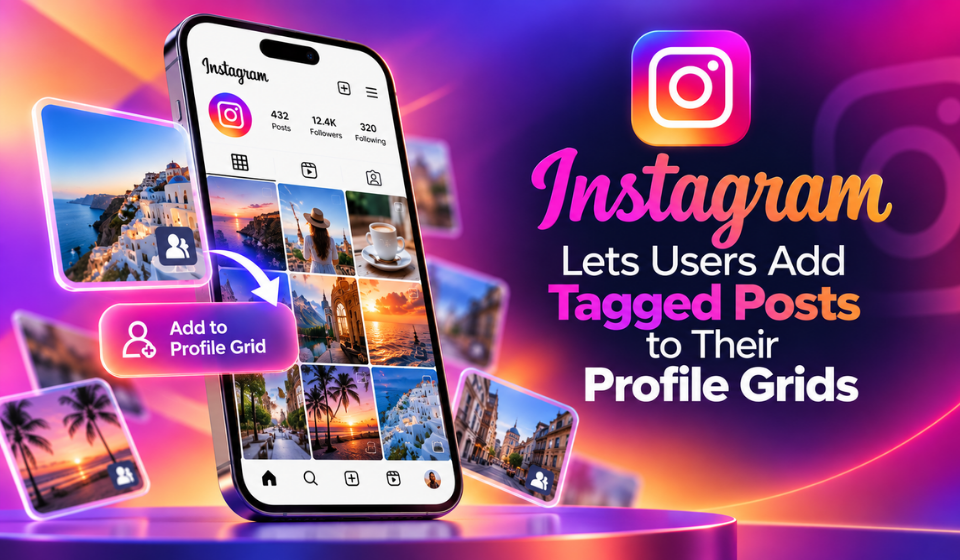
The platform now allows users to add posts they are tagged in to their main profile grid. The feature gives creators another option for highlighting collaborations and content featuring them without requiring them to publish the post themselves.
Instagram Adds an “Add to Grid” Option
The new feature works directly from a tagged post.
When a user is tagged in an eligible Instagram post, they can now see an “Add to grid” option. Selecting it allows the post to appear on their main profile grid alongside their own content.
The tagged post is marked with a tag icon on its thumbnail, making it clear that the content was originally published by another account.
The feature is focused on profile presentation rather than creating a second copy of the original post. The original post remains on the account that published it.
Tagged Posts Can Be Rearranged
The update also gives users more flexibility over how tagged content appears on their profile.
Tagged posts added to the grid are displayed in reverse chronological order by default, but users can rearrange the content to better fit their preferred profile layout.
This makes the feature more useful for creators and brands that carefully manage how their profile grid looks.
More Options for Creator Collaboration
The update could be particularly useful for creators, brands and collaborators who regularly appear in content published by other accounts.
Instead of leaving tagged content only in Instagram’s tagged section, users can now choose to make selected posts part of their main profile presentation.
| Feature | What It Does |
| Tagged post | Shows content where a user has been tagged |
| Add to grid | Lets the tagged user display the post on their profile |
| Tag icon | Identifies the post as tagged content |
| Grid placement | Adds selected tagged posts to the main profile |
| Rearranging | Gives users control over the order of displayed posts |
| Collaboration | Provides another way to showcase shared content |
The feature therefore adds another layer of flexibility to Instagram’s existing collaboration tools.
Instagram Continues Expanding Collaboration Features
Instagram has introduced several collaboration-focused features over the years.
These include post collaborators, collaborative Stories and tools that allow users to remix publicly shared content.
The new tagged-post option takes a different approach. Instead of changing who originally published the post, it allows the person featured or tagged in the content to choose whether that post should also appear on their own profile grid.
For creators, this could make profile management more flexible when working on campaigns, partnerships or collaborative content.
Privacy Settings Still Matter
Adding a tagged post to a profile grid does not override Instagram’s existing privacy controls.
The visibility of the content can still depend on the privacy settings of the accounts involved. This means the new feature should not be interpreted as a way to make every tagged post publicly visible to everyone.
Users therefore retain the ability to curate what appears on their profile while Instagram’s existing account and post visibility rules continue to apply.
Why the Profile Grid Still Matters
Instagram’s update comes as the platform continues to balance video consumption with other forms of social interaction.
Reels remain a major part of Instagram’s user experience, but profile pages continue to provide a place where users can showcase their identity, relationships and content.
The new feature gives users another way to bring community-created content into that profile experience.
Rather than requiring someone to republish content, Instagram can now let them highlight a post they are already tagged in while keeping the original post connected to its creator.
What the Update Means for Instagram Users
For everyday users, the feature provides a simple way to highlight posts in which they appear.
For creators and brands, it could be useful when participating in collaborative campaigns. A creator could add a relevant tagged post from another account to their grid while the original post remains associated with the account that published it.
The feature could therefore help creators present selected collaborations without having to recreate or separately republish the content.
Frequently Asked Questions
What is Instagram’s new tagged-post feature?
It allows users to add posts they are tagged in to their main Instagram profile grid.
How do I add a tagged post to my Instagram grid?
When viewing an eligible post where you are tagged, Instagram provides an “Add to grid” option.
Will tagged posts look different on my profile?
Yes. Tagged posts added to the grid are identified with a tag icon on the thumbnail.
Can I rearrange tagged posts on my grid?
Yes. Tagged posts are displayed in reverse chronological order by default, with options to rearrange their placement.
Can this feature help with collaborations?
Yes. It gives creators and collaborators another way to showcase content involving multiple accounts.
Does adding a tagged post make me the original poster?
No. The original post remains associated with the account that published it. Adding it to your grid simply gives the content another display location.
Does adding a tagged post make it visible to everyone?
Not necessarily. Existing privacy and visibility settings still apply.
Conclusion
Instagram’s new tagged posts feature gives users more control over the content displayed on their profile grids.
With the new “Add to grid” option, creators and everyday users can highlight selected posts they are tagged in alongside their own content. The ability to rearrange these posts also gives users more control over how their profiles are presented.
The update strengthens Instagram’s existing collection of collaboration tools while keeping the original post connected to its creator. As Instagram continues to evolve beyond a simple photo-sharing feed, features that give users more ways to showcase their communities could remain an important part of the platform experience.