


Table of Contents
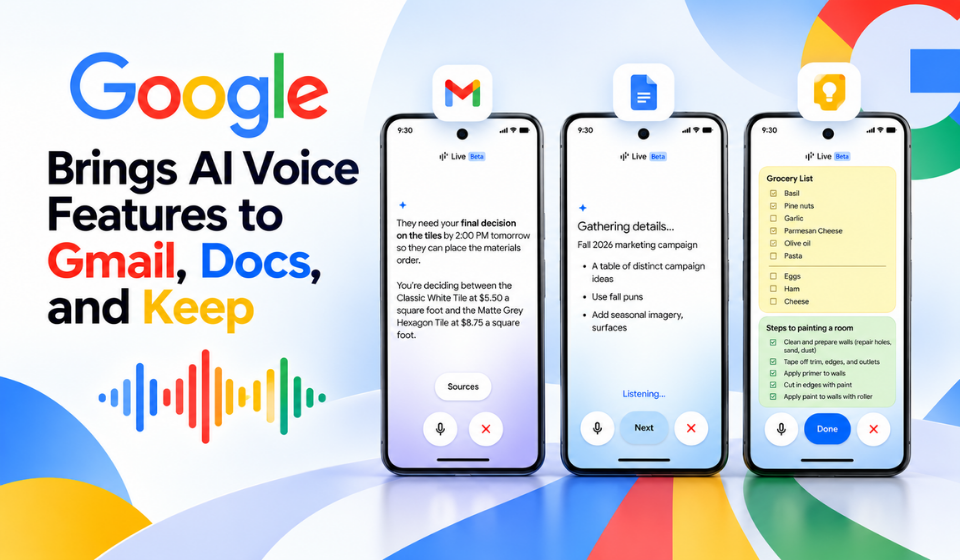
Google is expanding voice-based artificial intelligence across its Workspace apps with the rollout of new Google AI voice features in Gmail, Google Docs and Google Keep.
Called Gmail Live, Docs Live and Keep Live, the new tools allow users to interact with Google’s Gemini-powered features through natural conversation. Instead of relying entirely on typing and traditional search, users can speak naturally to find information, create documents and organise their thoughts.
Google first previewed these capabilities at Google I/O 2026 and has now started rolling them out to eligible subscribers.
Gmail Live Makes Inbox Searches Conversational
Gmail Live brings conversational voice search directly into Gmail.
Users can ask questions about information contained in their inbox instead of manually searching through individual emails or using specific search terms. For example, someone could ask for the gate number of a flight or details about an upcoming event mentioned in their emails.
Gmail Live can search the user’s inbox and provide a conversational answer. Users can also continue the conversation with follow-up questions, making the experience more similar to talking with an AI assistant than performing a traditional email search.
The feature is particularly useful when users need to find information quickly while away from their computer or when typing is inconvenient.
Docs Live Turns Spoken Ideas Into Documents
Google Docs is receiving another major Google AI voice upgrade through Docs Live.
Instead of starting with a blank document and writing a detailed AI prompt, users can simply explain what they want to create. Docs Live can act as a conversational writing partner, helping organise ideas and turn spoken thoughts into a structured first draft.
With the user’s permission, Docs Live can also pull relevant information from Gmail, Google Drive, Google Chat and the web. This could reduce the need to switch between multiple applications while gathering information for a document.
Google says the feature is designed to help users brainstorm, structure their ideas and refine documents through natural conversation.
Keep Live Organises Voice Notes
Google Keep is also gaining a conversational voice feature.
Keep Live allows users to speak their thoughts instead of typing them manually. The system can process a stream of spoken ideas and turn them into organised notes and lists.
This could be useful for quickly capturing ideas, creating shopping lists or organising information when users do not want to type everything themselves.
Keep Live is currently rolling out on Android, while Gmail Live and Docs Live support both Android and iOS.
Google AI Voice Features and Availability
The new features are being introduced to paid Google AI subscribers, with availability differing by product.
| Features | Main Use | Availability |
| Gmail Live | Conversational search of inbox information | Google AI Plus, Pro and Ultra; Android and iOS |
| Docs Live | Voice-based brainstorming and document drafting | Google AI Pro and Ultra; Android and iOS |
| Keep Live | Voice-based notes and organised lists | Google AI Plus, Pro and Ultra; currently Android |
| Workspace business access | Business use of the new features | Coming soon |
Google says the features are rolling out in English. The company also plans to bring the capabilities to Google Workspace business customers.
Google’s Broader Push Into Voice AI
The launch is part of Google’s wider effort to make voice a more natural way of interacting with artificial intelligence.
At Google I/O 2026, the company demonstrated how voice could be used to create documents and organise information. Google has continued developing its audio and conversational AI technology as it expands Gemini across its products.
The latest Workspace features take that approach beyond the standalone Gemini experience and place conversational AI directly inside applications that people already use for work and everyday tasks.
How Google AI Voice Could Change Everyday Work
The biggest change is the shift from typing instructions to describing goals.
A Gmail user can ask a question about their inbox instead of manually searching through messages. A Docs user can explain an idea and receive help turning it into a structured document. A Keep user can speak freely and let AI organise the resulting information.
This could make some everyday tasks faster, particularly for people working on mobile devices or multitasking.
However, users should still review AI-generated information and documents before relying on them, especially when the content is important or requires accuracy.
Frequently Asked Questions
What is Google AI voice?
Google AI voice refers to Google’s growing range of voice-powered AI capabilities that allow users to interact with applications using natural language.
What are Gmail Live, Docs Live and Keep Live?
They are new conversational features that bring voice-powered Gemini capabilities to Gmail, Google Docs and Google Keep.
What can Gmail Live do?
Gmail Live lets users ask conversational questions about information in their inbox and receive answers based on their emails.
Can Docs Live create documents?
Yes. Docs Live can help users turn spoken ideas into structured first drafts and, with permission, use relevant information from Gmail, Drive, Chat and the web.
What does Keep Live do?
Keep Live allows users to speak their thoughts and turn them into organised notes and lists without manually typing everything.
Is Keep Live available on iPhone?
Keep Live is currently available on Android. Gmail Live and Docs Live are available on both Android and iOS.
Who can use the new features?
Gmail Live and Keep Live are available to Google AI Plus, Pro and Ultra subscribers, while Docs Live is available to Google AI Pro and Ultra subscribers. Google Workspace business customers are expected to receive the features soon.
Conclusion
The rollout of Google AI voice features in Gmail, Docs and Keep marks another step toward more conversational computing.
Gmail Live allows users to talk to their inbox, Docs Live helps turn spoken ideas into structured documents, and Keep Live transforms voice-based thoughts into organised notes and lists.
The integration of these capabilities directly into everyday Workspace applications could make AI more useful for routine tasks without requiring users to open a separate chatbot.
As Google continues expanding Gemini-powered voice capabilities, the way people search for information, write documents and organise their digital lives could increasingly move from typing detailed commands to simply explaining what they need.