


Table of Contents
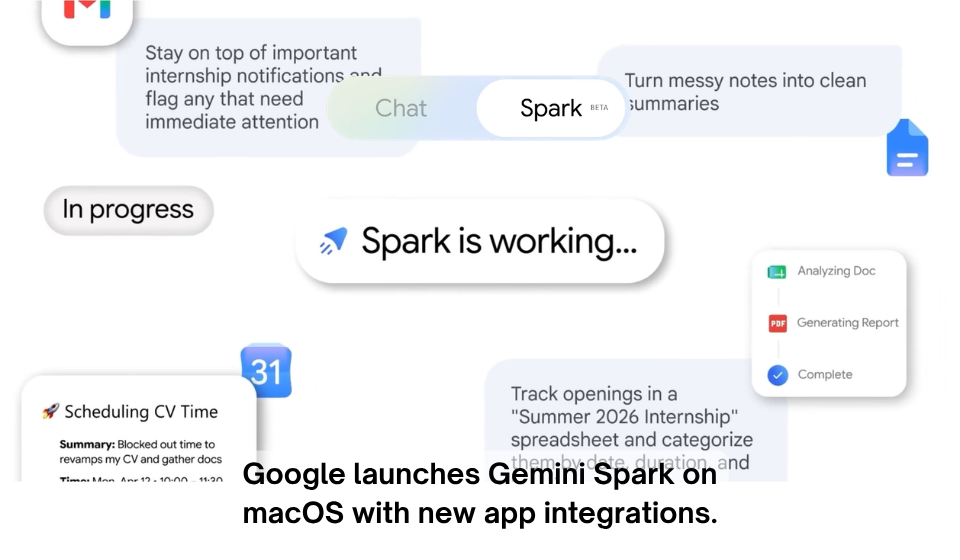
Google has expanded the capabilities of its Gemini AI platform by introducing Gemini Spark for macOS. The new desktop experience is designed to bring AI closer to users by integrating it with supported Mac applications, eliminating the need to constantly switch between different windows or browser tabs.
Rather than acting as a standalone chatbot, Gemini Spark works in the background, understanding the content you’re currently viewing. Whether you’re editing a document, reading an article, composing an email, or researching a topic, the AI can provide summaries, answer questions, simplify complex information, and help create content without disrupting your workflow.
This release reflects Google’s broader vision of making artificial intelligence a seamless part of everyday computing instead of a separate tool that users access only when needed.
Main Features
Gemini Spark introduces several productivity-focused enhancements, including:
- AI assistance built into compatible macOS applications.
- Context-aware responses based on the content currently displayed.
- One-click summaries for documents, web pages, and reports.
- Provides AI-powered assistance for drafting emails, reports, presentations, and documents.
- Easy-to-understand explanations of technical or complex topics.
- A lightweight interface for quick access without interrupting work.
- Reduced dependence on copying and pasting information between applications.
How Gemini Spark Differs from Traditional AI Tools
| Feature | Conventional AI Assistants | Gemini Spark |
| Access | Separate browser tab or application | Integrated into supported Mac apps |
| Context Understanding | Requires manual prompts | Responds using on-screen content |
| Workflow | Frequent switching between tools | AI assistance within the current application |
| Content Handling | Users paste or upload information | Works directly with selected content |
| Productivity | Basic chatbot interaction | Continuous, context-aware desktop support |
Why This Update Matters
As AI becomes a regular part of digital work, users increasingly expect intelligent assistance to be available exactly where they’re working. Gemini Spark addresses this expectation by embedding AI directly into desktop applications, helping users complete tasks more efficiently without interrupting their focus.
The feature can benefit professionals preparing reports, students reviewing learning materials, marketers creating content, and developers researching technical information. By reducing repetitive actions and making AI instantly accessible, Gemini Spark helps simplify daily workflows while improving productivity.
The launch also strengthens Google’s long-term strategy of integrating Gemini across its products, creating a more connected AI experience across desktop, mobile, and cloud services.
Key Takeaways
- Google has launched Gemini Spark for macOS.
- The platform delivers AI-powered assistance directly inside supported applications.
- Users can summarize, rewrite, explain, and generate content without leaving their current workspace.
- Context-aware AI helps reduce interruptions and streamline everyday tasks.
- Gemini Spark represents Google’s continued push toward deeply integrated desktop AI experiences.
Final Thoughts
Gemini Spark highlights the next stage in the evolution of desktop artificial intelligence. Instead of requiring users to interact with a separate chatbot, Google is bringing AI directly into the applications people use every day. This approach creates a smoother, more intuitive experience that allows users to stay focused while benefiting from intelligent assistance. As AI continues to become more deeply integrated into personal computing, solutions like Gemini Spark are likely to play an increasingly important role in how people work, learn, and create.