


Table of Contents
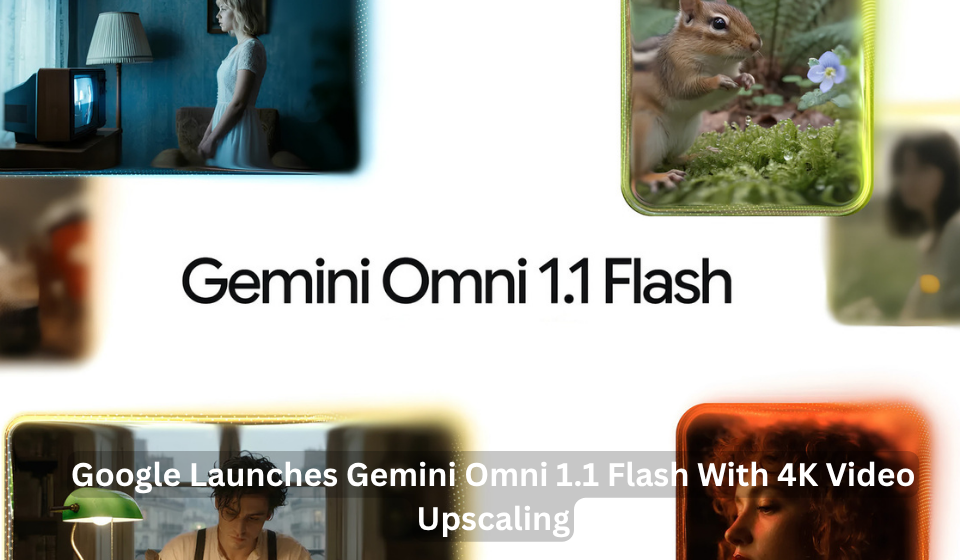
Google has introduced Gemini Omni 1.1 Flash, a production-focused update to its generative video technology that gives developers and creators greater control over how AI-generated videos are created and refined.
The latest Gemini Omni update introduces several new capabilities, including longer scene extensions, start and end frame controls, faster 360p video drafts, short video references and high-resolution output of up to 4K.
Google is positioning Gemini Omni 1.1 Flash as a tool for professional and production workflows, where creators often need to test ideas, maintain consistency across scenes and refine generated footage before producing a final version.
Gemini Omni Extends Scenes Using More Previous Video Context
One of the most significant updates is an improved scene extension feature.
Gemini Omni 1.1 Flash can analyse up to 10 seconds of prior video context when continuing an existing scene. Google says this is an improvement over the previous scene extension approach, which referenced only the final second of footage.
Using more of the preceding video can help the model better maintain visual consistency and follow the narrative direction of a scene when generating additional footage.
Developers can extend videos in 10-second increments, with extensions supporting a cumulative duration of up to 40 seconds. This gives creators more room to develop connected sequences and longer video stories instead of treating every generated clip as a completely separate piece of content.
Start and End Frames Give Creators More Direction
The updated Gemini Omni model also allows creators to specify the first and last frames of a shot.
The model generates continuous video between these two keyframes, providing a way to guide how a scene transitions from one visual state to another.
Google highlights potential uses such as camera movements, orbital shots, zoom transitions and seamless looping sequences. This feature gives creators more control over the movement and progression of generated footage without relying entirely on text prompts.
Faster 360p Drafts for Testing Ideas
Google has also introduced a 360p draft mode designed to make video experimentation quicker and more cost-efficient.
According to the company, 360p previews can be generated at up to 60% faster throughput than the standard 720p option and at approximately one-third of the cost.
The lower-resolution option is intended for rapid prototyping, storyboard development and testing multiple creative ideas. Creators can experiment with prompts and concepts before deciding which versions are worth developing further.
This approach could be useful for production teams that need to generate several variations before selecting a preferred result.
High-Resolution Output of Up to 4K
Gemini Omni 1.1 Flash can also generate high-resolution 1080p and 4K output for professional production workflows.
The addition allows creators to move from early experimentation towards more polished video results. However, the exact workflow can vary depending on the Google product being used.
For example, Google Flow allows users to test concepts at 360p before moving to higher-quality versions, while Google’s broader developer tools provide access to 1080p and 4K output through Omni 1.1 Flash.
This distinction is important because it avoids suggesting that every low-resolution draft is automatically converted into a 4K version through the same process.
Video References Support Greater Visual Consistency
Another capability added to the model is support for short video references as part of multimodal input.
Developers can reference up to three seconds of video when creating a scene. Google says this can help provide visual context and support character consistency based on the supplied reference material.
This feature could be particularly useful when generated footage needs to follow the appearance, movement or visual direction of existing content.
| Features | What Gemini Omni 1.1 Flash Adds |
| Scene extension | Continues videos in 10-second increments |
| Previous video context | Analyses up to 10 seconds of earlier footage |
| Maximum cumulative extension | Up to 40 seconds |
| Frame controls | Specifies starting and ending frames |
| Draft mode | Generates lightweight 360p previews |
| Draft performance | Up to 60% faster, according to Google |
| Draft cost | Around one-third of standard 720p generation |
| Video references | Supports up to three seconds of reference video |
| High-resolution output | Supports 1080p and 4K output |
Where Gemini Omni 1.1 Flash Is Available
Developers can access Gemini Omni 1.1 Flash through the Gemini API in Google AI Studio.
Enterprise developers can also deploy the technology through the Gemini Enterprise Agent Platform. Google has additionally published supporting documentation and resources for developers working with scene extensions, video references and other capabilities.
For consumers, Omni 1.1 Flash is available globally through Google Flow for Google AI Plus, Pro and Ultra subscribers. Scene extension is also available to eligible subscribers through the Gemini app.
Adobe, Figma and Runway Explore Gemini Omni
Google says several companies are already using Gemini Omni Flash within their creative workflows.
Adobe has integrated Gemini Omni Flash into Adobe Firefly, while Figma Weave is using the model’s capabilities to help creative teams work with references, explore different versions and direct generated video.
Runway has also highlighted Gemini Omni Flash as another option that users can incorporate into its creative workflow, alongside prompt-, image- and video-based generation.
These integrations show how generative video models are increasingly being incorporated into broader creative software environments rather than being used only as standalone video generators.
A More Production-Focused Update
The latest Gemini Omni release focuses on several practical challenges involved in AI video creation.
Scene extension can help creators continue existing footage, while start and end frame controls provide additional direction over transitions. Lower-resolution drafts offer a faster way to test concepts, and higher-resolution output supports more polished results.
The ability to use video references also adds another level of context for developers who want generated scenes to maintain connections with existing footage.
Together, these features make Gemini Omni 1.1 Flash a more comprehensive set of video generation and editing tools for developers and creators building AI-powered production workflows.
Conclusion
Gemini Omni 1.1 Flash expands Google’s generative video capabilities with tools focused on creative control, faster experimentation and professional-quality output.
The model can analyse up to 10 seconds of previous footage when extending scenes, add new content in 10-second increments up to a cumulative 40 seconds, generate video between specified start and end frames and use short video references for additional visual context.
With faster 360p drafts and support for high-resolution 1080p and 4K output, Gemini Omni is giving developers and creators more options for experimenting with, refining and producing AI-generated video. Google’s integrations with companies including Adobe, Figma and Runway also demonstrate how these capabilities are beginning to appear within wider creative production workflows.